Guides

How to make a low-resolution image high resolution

Stretching a small image just makes it bigger and blurrier. AI upscaling adds back the detail, so a small photo can look crisp on a big screen or in print.

Free to download · Photos auto-deleted in 48h · Updated October 22, 2026

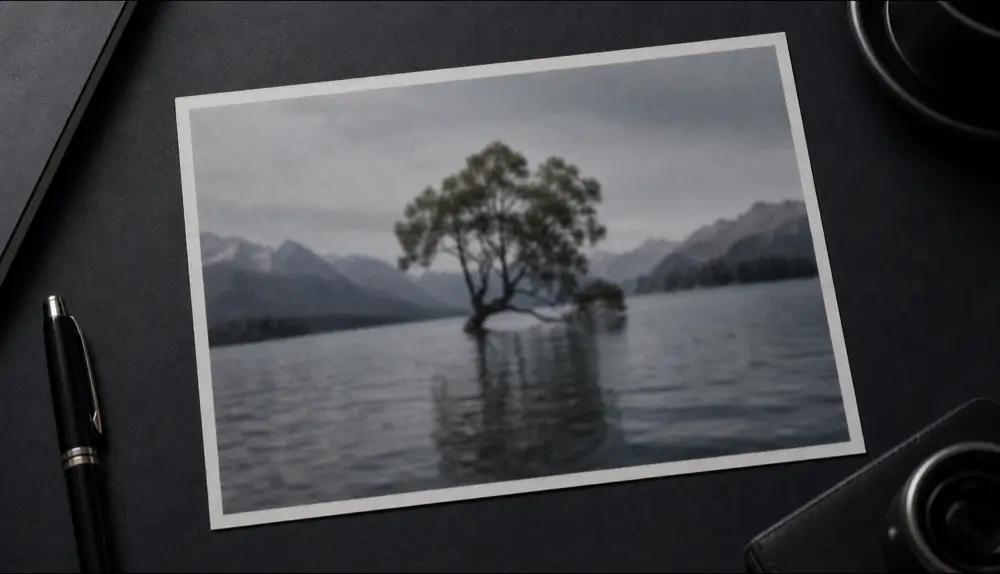
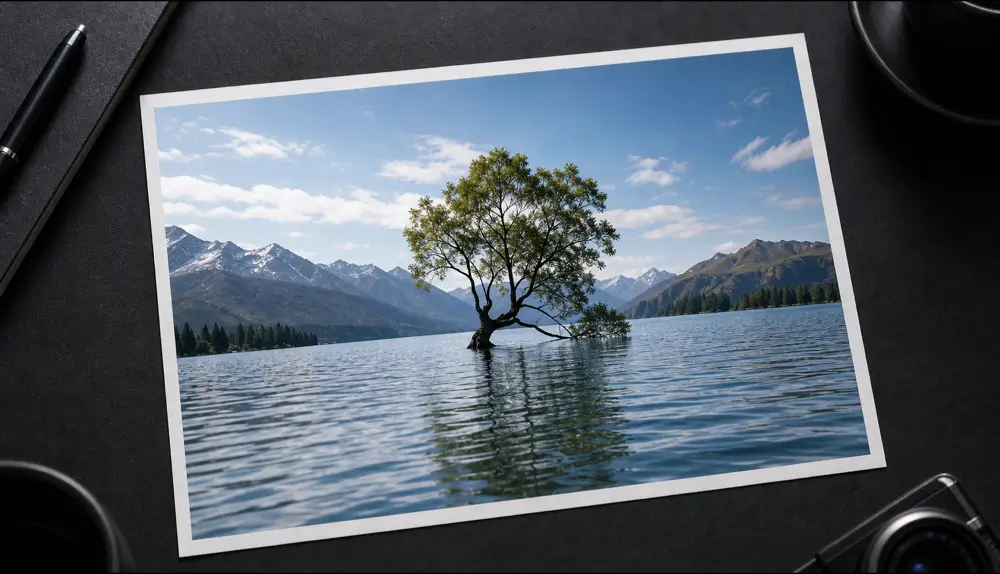
Qutu enhancing a blurry photo to HD
Before Before: A soft, low-resolution photo enhanced with sharper detail and less noise.
After After: A soft, low-resolution photo enhanced with sharper detail and less noise.
A soft, low-resolution photo enhanced with sharper detail and less noise.

Why “resize” doesn’t work

Ordinary resizing just spreads the existing pixels over a bigger area, so edges get soft and blocky. AI upscaling predicts the missing detail — textures, edges, facial features — and rebuilds it, which is why the result looks sharper rather than just larger.

Upscale an image with Qutu

  1. Open Qutu Web or the Qutu iPhone app and choose Enhance photo.
  2. Upload the small or blurry image.
  3. Qutu upscales it, sharpens detail and cleans up noise and compression blocks.
  4. Compare before and after and save the HD version.

When it helps most

  • Cropped photos where the subject ended up small
  • Images saved from social media or chats that were compressed
  • Older phone photos taken in low light
  • Product photos that need to look crisp on a store listing
  • Prints and posters that need more pixels

Tips

  • Start from the least-compressed copy you can find.
  • Old, damaged prints? Use old photo restoration first — it also repairs scratches and color.
  • Text that needs to be read? Use Sharpen text; it’s tuned for letters rather than scenes.
  • AI adds plausible detail, not a recording of the original scene — keep the original file for reference.

Frequently asked questions

How much can I enlarge an image?

Qutu's HD enhance upscales up to 4× while sharpening detail and reducing noise.

Will faces look fake?

Qutu includes face refinement and aims to keep people recognizable. Always check the result at full size and keep the original.

What resolution do I need for printing?

For sharp prints, about 300 pixels per inch is a common target — for example, roughly 1800 × 1200 pixels for a 6 × 4 inch print.

Change the words. Keep the photo.

Qutu matches the original font, color and background, so your edit looks like it was always there.